

Ticket Exchange
MyBees members can buy tickets that have been listed for sale by Season Ticket Holders, on the Ticket Exchange. Each MyBees member is eligible to buy one ticket per fixture on the Ticket Exchange if they have not already bought a ticket for that fixture on tickets.brentfordfc.com. For Category A fixtures, a member must have 40+ TAPs. For Category B fixtures, all members can purchase regardless of the amount of TAPs they have.
You can find out more about the Ticket Exchange in our FAQs.
STEP 1
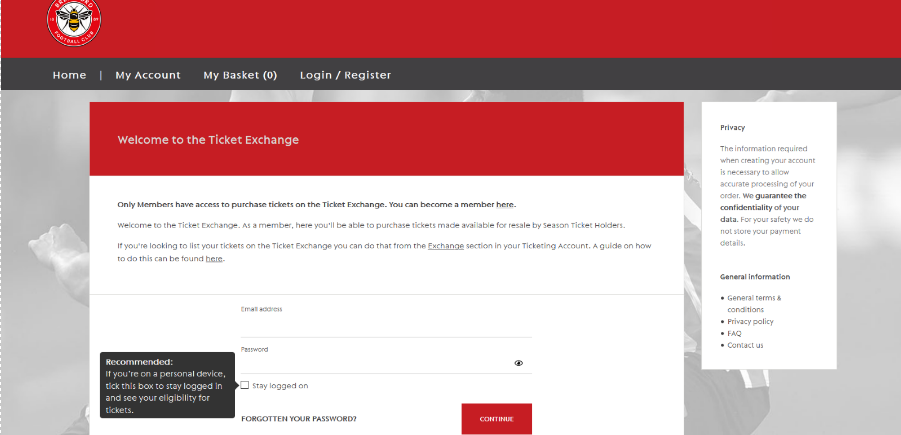
Navigate to https://exchange.brentfordfc.com and login using your ticketing account login details.
STEP 2
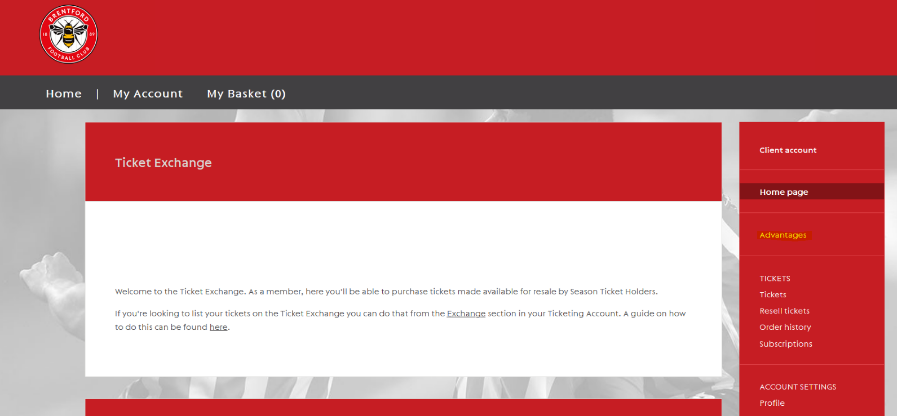
Once you have logged in to your account, click on the highlighted ‘Advantages’ button on the menu on the right side of your account summary.
STEP 3
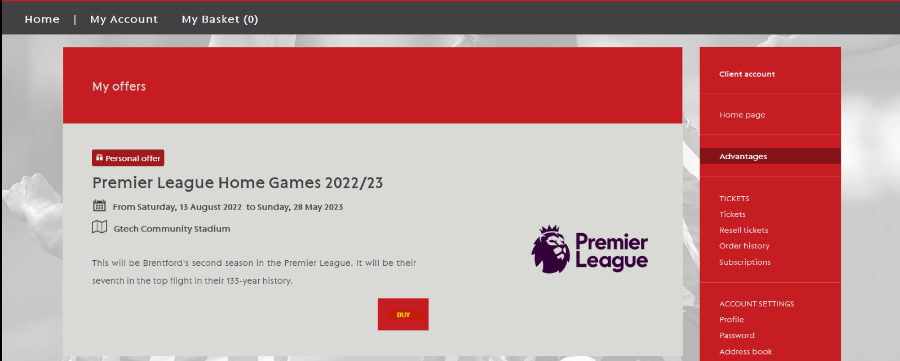
You will be shown your eligible offers on the ticket exchange. Click on the ‘Buy’ button.
STEP 4
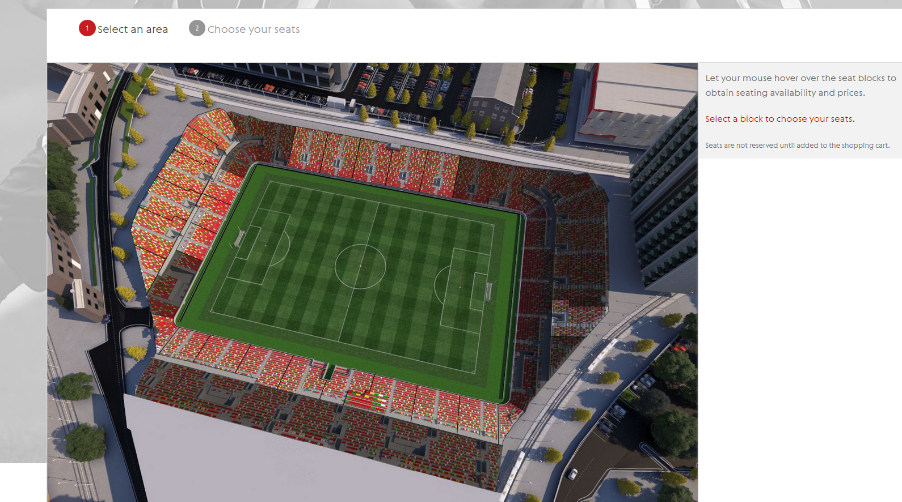
After you have selected the game that you wish to purchase on the exchange, you will be taken to the seating plan of Gtech Community Stadium. Select the section you wish to sit in.
STEP 5
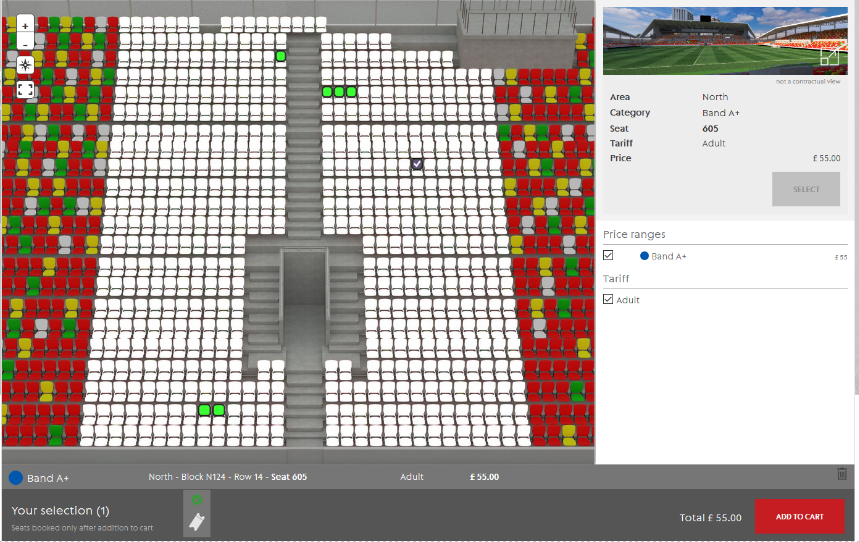
Once you have selected the block, you will be shown the available seats in the block, click on the seat and then select the ‘Add to Cart’ button.
STEP 6
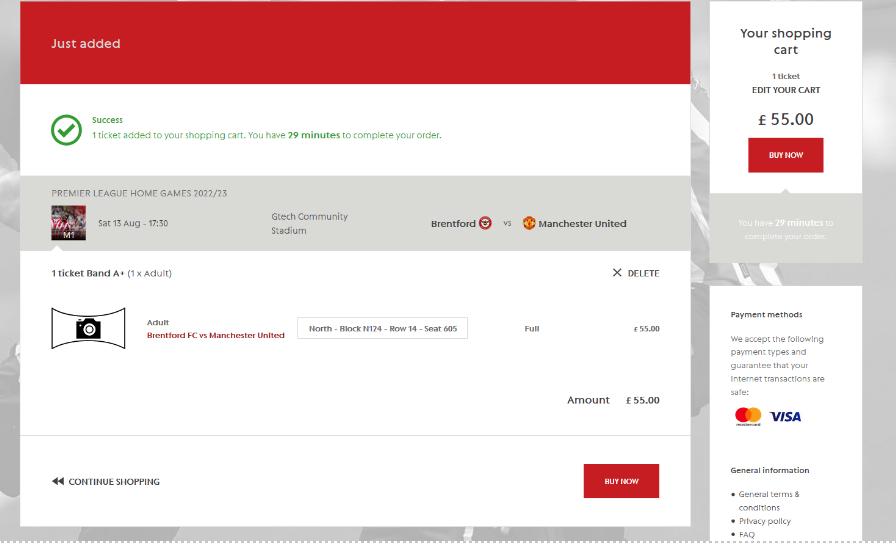
The ticket is now in your basket, once you have reviewed the ticket and are happy, click on the ‘Buy Now’ button.
STEP 7
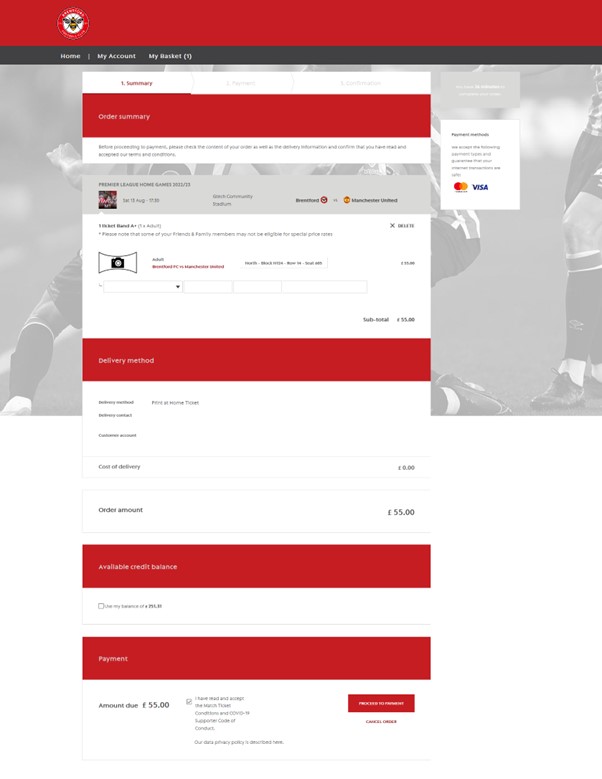
The final page you will be taken to is the ‘Order Summary’ page, here you can review the whole order and you can assign the ticket to any eligible friends & family. If you have any customer credit available on your account, you can use it to pay for your order. Once you are happy that everything looks ok, select the tick box to declare you have read and accept our terms and conditions then select the ‘Proceed to Payment button’ where you will need to type in your card details to pay for your order, unless you’re paying with customer credit.
STEP 8
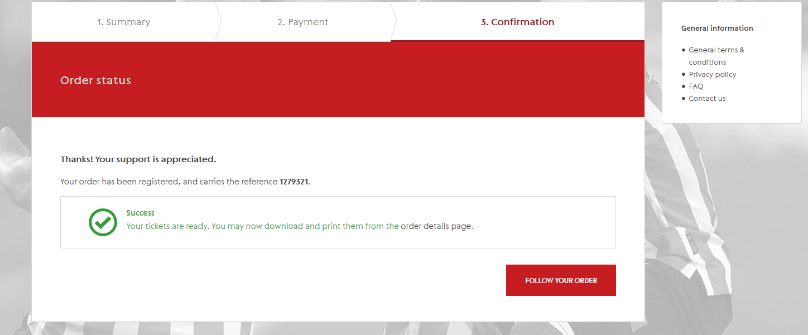
Your order is now complete and you will be able to go into the order and print off your ticket.
If you have any questions you can send us an email via [email protected].