

STEP 1
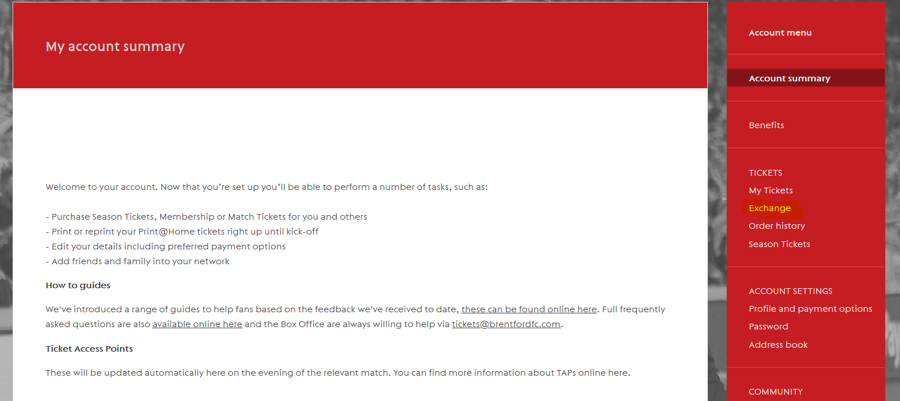
Login to your ticketing account and on the menu on the right side click on the option under the ‘TICKETS’ heading called ‘Exchange’.
STEP 2
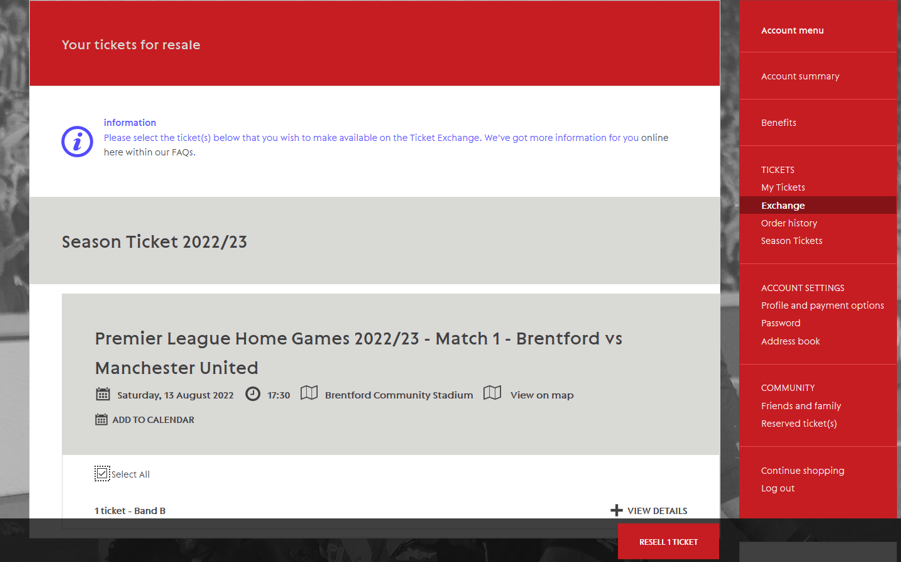
You will be taken to the below screen where you will be able to select the tickets for a certain game that you want to put on the Ticket Exchange. Once you have selected the seat that you want to put on the Ticket Exchange, click on the ‘Resell Ticket’ button at the bottom of the screen.
*If you have multiple Season Tickets under your name, then you will be able to list all of them. If you want to list a Season Ticket seat for your friends and family, you will need to login to their online ticketing account and follow these steps.
STEP 3
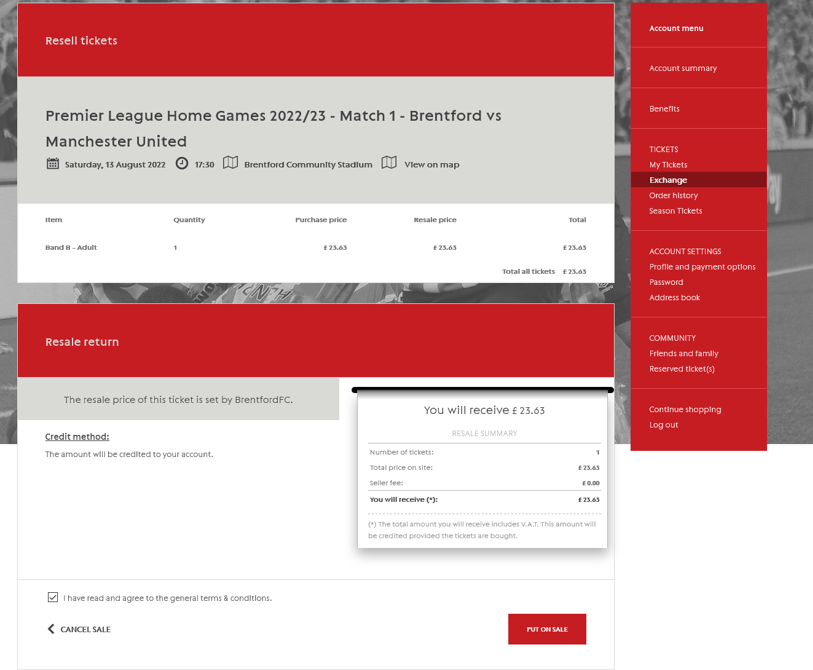
Finally, you will be taken to this page where you will be able to review the resell before you put it on the Ticket Exchange. After you have read and accepted the terms and conditions and are happy with the ticket you are exchanging, click on the ‘Put on Sale’ button. Once the ticket has been resold, you will be credited the amount shown below, to your customer credit amount which can be used to purchase other fixtures. You will be notified once the ticket has been resold.
If you are the main purchaser for the Season Ticket, the customer credit will be credited to you. If someone else purchased your Season Ticket on behalf of you, then that fan will be credited the customer credit. The credit will be put on the account once the fixture has been played.
If you have any questions you can send us an email via [email protected].