
We look forward to welcoming you back to Gtech Community Stadium for the 2026/27 season in the Premier League. Follow the step-by-step instructions below to find out how to renew your season ticket.

How to renew your season ticket
2026/27 season ticket renewals

To purchase a 2026/27 season ticket, you must be an eligible members who meets the qualifying criteria. Eligible members can purchase your season ticket within the sales window, which opens at 2pm on Thursday 7 May and closes at 5pm on Friday 22 May.
Step 1.
Head to the season ticket page. Here, you will be able to see the stadium map where you can select your desired seat, then the relevant price class and add to basket.

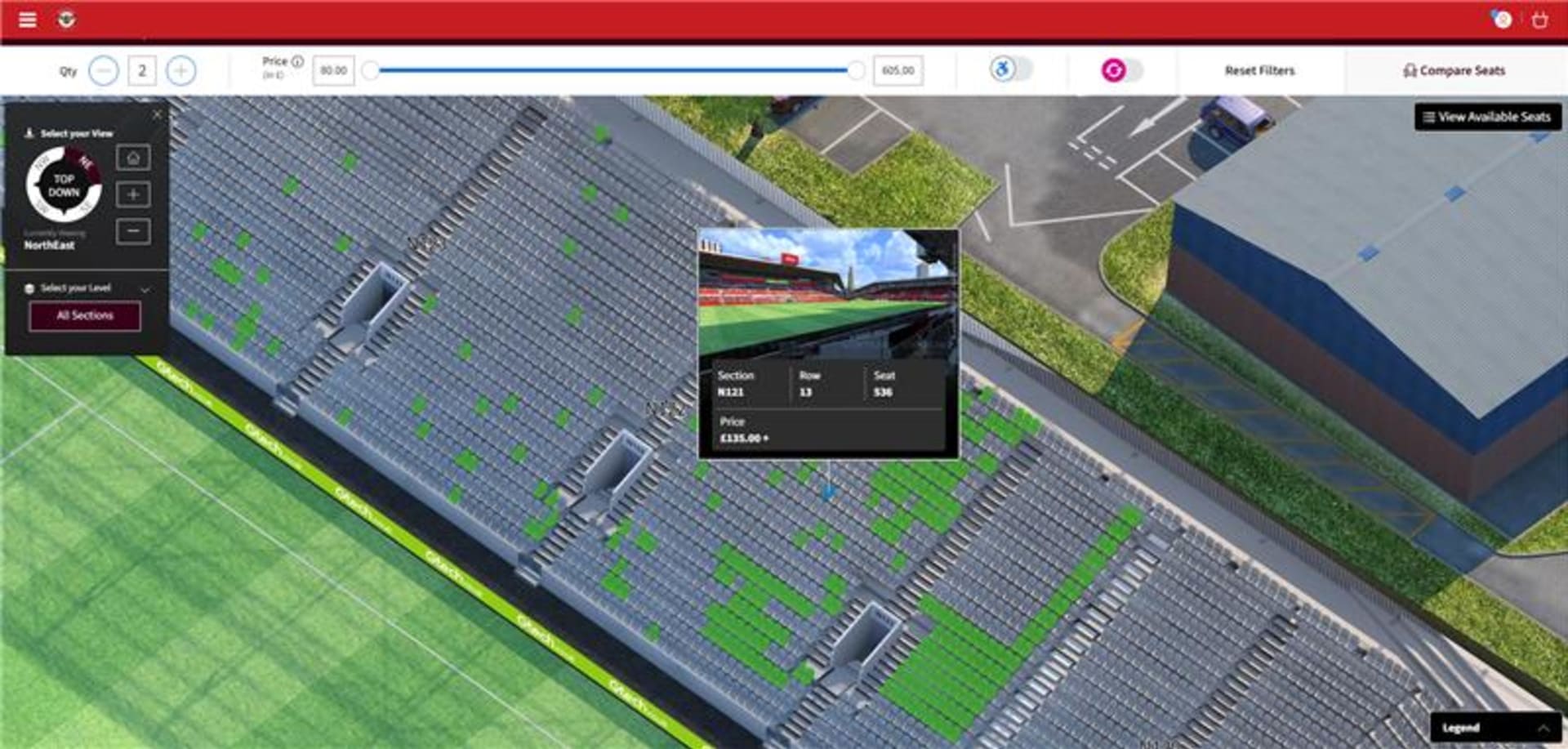

Those wishing to move an existing season ticket seat next to a newly eligible member must contact the box office on 0333 005 8521 so that our team can help arrange seats next to each other
Step 2.
Continue the checkout process and secure your seat for the 2026/27 season!
If you experience any technical issues, or have any enquiries regarding your season ticket, please contact our box office on 0333 005 8521.
Step 1.
Head to eticketing.co.uk/brentfordfc and log in by pressing the profile icon in the top right corner.
Once logged in, select the ‘Renew Now’ button in the bottom-right corner of the webpage to access your renewals page.

Alternatively, you can access the renewals page via your account hub by pressing the account icon and selecting renew now under your notifications.

Step 2.
On the season ticket renewals page, you will see your season ticket and any other tickets you manage on behalf of friends and family. Tick the box beside the season ticket(s) you want to renew, then select
add to basket

Step 3.
In your basket, you have the option to automatically opt in for auto-renewal for the 2027/28 season.
Select the tick box to opt in. This will automatically opt in all season tickets currently selected in your basket.
We will notify you ahead of the 2027/28 renewal period in case you've changed your mind and no longer wish to renew your season ticket.
Please note, if you choose auto-renewal, ticketing credit cannot be used when paying online.

Step 4.
Select a payment method. You have the choice of paying the full price for your season ticket up front or paying with interest-free direct debit instalments over the course of 12 months.
If you want to pay up front for one season ticket and pay by direct debit for another ticket you manage, you can do this by renewing the season tickets separately (i.e. selecting only one ticket at a time at Step 2).
Enter your card details and select review order.
Step 5.
Review your order, read and acknowledge the terms and conditions, and select complete purchase.
Congratulations! You have successfully renewed your season ticket for the 2026/27 season.
Step 1
Log in to your Brentford FC ticketing account at eticketing.co.uk/brentfordfc and select the profile icon in the top right corner.
Step 2.
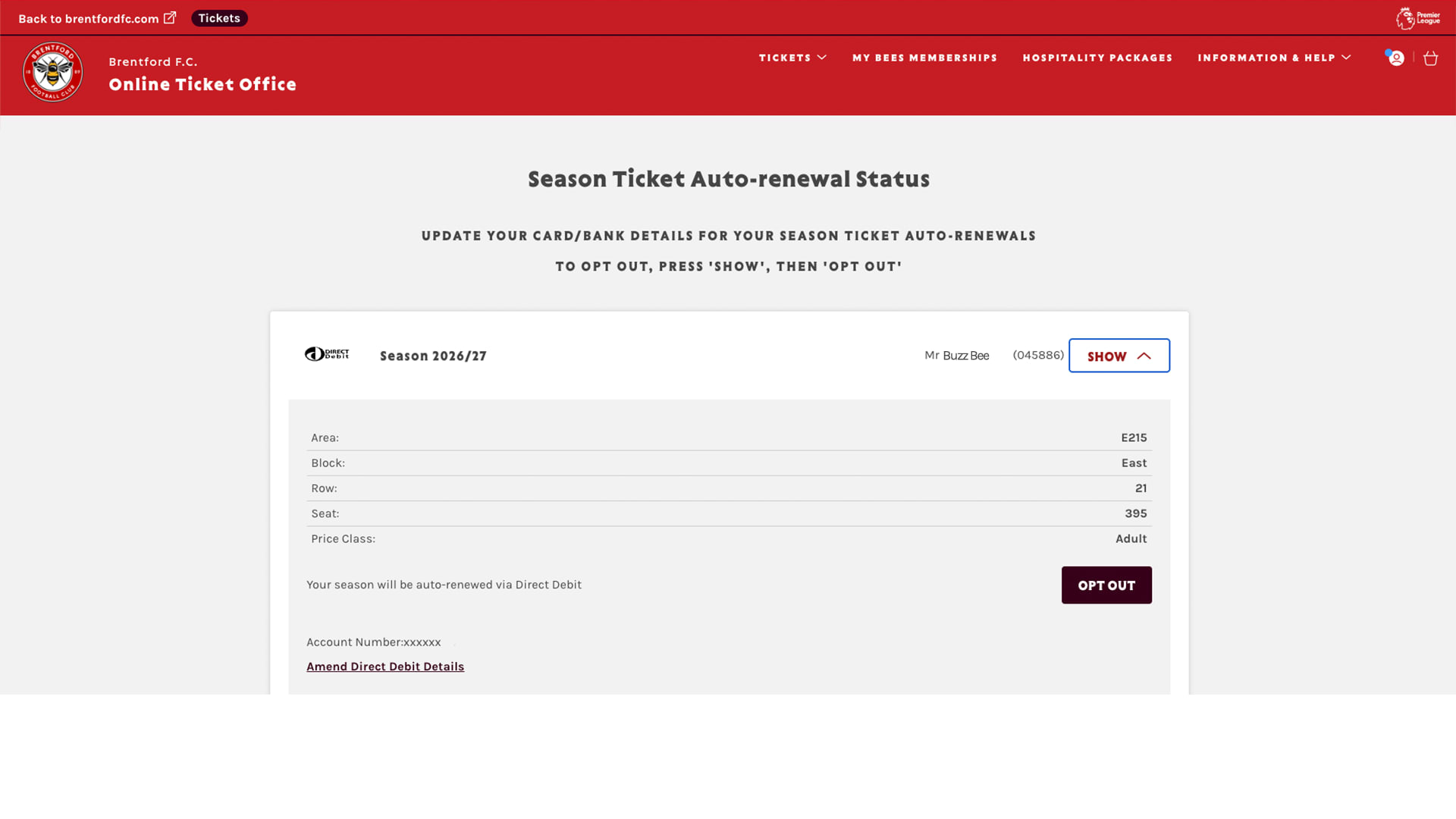
Navigate to the Season Ticket Auto-Renewal Status page by selecting:
View account menu
Ticketing
Season ticket auto-renewal status
Step 3.
You will see all season tickets currently opted in to auto-renewal. Select show, then choose opt out.
Step 1.
Head to eticketing.co.uk/brentfordfc and log in by pressing the profile icon in the top right corner.
Once logged in, select the ‘Renew Now’ button in the bottom-right corner of the webpage to access your renewals page.
Alternatively, you can access the renewals page via your account hub by pressing the account icon and selecting renew now under your notifications.
Step 2.
On the season ticket renewals page, you will see your season ticket and any other tickets you manage on behalf of friends and family. Tick the box beside the season ticket(s) you want to renew, then select add to basket.
Step 3.
In your basket, you have the option to automatically opt in to auto-renewal for the 2027/28 season. We will notify you ahead of the 2027/28 season. (See how to opt in to auto-renewals for more information).
Select a payment method. You have the choice of paying the full price for your season ticket up front or paying with interest-free direct debit instalments over the course of 12 months.
Please note that if you opt in to auto-renewal, you cannot use your ticketing credit when paying online.
If you want to pay up front for one season ticket and pay by direct debit for another ticket you manage, you can do this by renewing the season tickets separately (i.e. selecting only one ticket at a time at Step 2).
Enter your card details and select review order.

Step 4.
Review your order, read and acknowledge the terms and conditions, and select complete purchase.
Congratulations! You have successfully renewed your season ticket for the 2026/27 season.
To renew season tickets on behalf of your Friends & Family members, you must be managing their account. More information on assigning permissions to Friends and Family accounts can be found here.
Step 1.
Head to eticketing.co.uk/brentfordfc and log in by pressing the profile icon in the top right corner.
Once logged in, select the ‘Renew Now’ button in the bottom-right corner of the webpage to access your renewals page.
Alternatively, you can access the renewals page via your account hub by pressing the account icon and selecting renew now under your notifications.
Step 2.
On the season ticket renewals page, you will see your season ticket and any other tickets you manage on behalf of friends and family. Tick the box beside the season ticket(s) belonging to your friends and family, then click add to basket.
Step 3.
Select a payment method. You have the choice of paying the full price for your season ticket up front or paying with interest-free direct debit instalments over the course of 12 months.
If you want to pay up front for one season ticket, and pay by direct debit for another ticket you manage, you can do this by renewing the season tickets separately (i.e. selecting only one ticket at a time at Step 2).
Enter your card details and select review order.
Step 4.
Review your order, read and acknowledge the terms and conditions, and select complete purchase.
Congratulations! You have successfully renewed your season ticket(s) for the 2026/27 season.
This is either because the person has already renewed their season ticket, or because the permissions are not set up for you to purchase products for them.
To be able to purchase and list tickets for resale on behalf of your friends and family members, you must be managing their account. More information on assigning permissions to friends and family accounts can be found here.
Yes, but we cannot guarantee that a better seat will be available due to current demand.
Even if you’re browsing other options in the stadium, we recommend that you renew your existing seat(s) before you request your seat move so that your current seat is secured in case you don’t find what you’re looking for.
To request a seat move, complete this form by 10 April 2026.
The box office team will then contact those fans who have submitted a seat move request to discuss your options.
Step 1.
Log onto your account at www.eticketing.co.uk/brentfordfc
Step 2.
When logged in, click on the account icon and head to your account history by selecting: view account menu > account management > account history.
Step 3.
Here you will be able to see all your online, call centre and box office activities. Locate your season ticket by the date of purchase/renewal. (You can filter by history type - select purchase history.)

To find out how to renew your premium season ticket, please visit the premium seat renewals page.
Key dates
Wednesday 11 March, 2pm – season ticket renewal window opens
Friday 10 April, 5pm– season ticket renewal window closes
Friday 10 April, 5pm – deadline to submit seat move request form
w/c 13 April – season ticket seat moves by appointment
w/c 4 May – season ticket sales window for qualifying members opens
Friday 22 May, 5pm – season ticket sales window for qualifying members closes
1 July – first of 12 direct debit payments for those choosing to pay by this method